Medical Technology Insights & Clinical Guides
Explore expert articles, diagnostic device guides, and industry news from KAKA Medical Technology Co., Ltd.
Latest Trends in Diagnostic Medical Equipment
Stay informed on FDA approvals, technological advancements, and distribution solutions worldwide.
Expert Clinical Device & Distribution Guides
Learn how KAKA Medical Technology Co., Ltd. delivers clinically proven diagnostic solutions at global scale.
How to Choose Bedside Patient Monitors in 2026?
Table of Contents
- Define Clinical Monitoring Needs and Patient Risk Levels
- Compare Essential Vital-Sign Measurements and Advanced Parameters
- Evaluate Accuracy, Usability, Connectivity, and Alarm Management
- Assess Infection Control, Durability, Mobility, and Maintenance Needs
- Review Compliance, Total Cost, Training, and Long-Term Support
- FAQS
- Conclusion
- Related Posts
Choosing Bedside Patient Monitors in 2026 requires more than comparing screen sizes, brands, or purchase prices. Hospitals must match each monitor with patient acuity, clinical workflow, staffing levels, and future technology plans. A monitor used in an intensive care unit needs different capabilities from one used in a general ward.
In daily practice, small design choices matter. Can nurses read waveforms from three meters away? Are alarm limits easy to adjust safely? Does the system reduce repeated, non-actionable alerts? These questions affect response time, staff attention, and patient safety. As patient-safety expert Dr. David W. Bates has warned, “Alarm fatigue is a serious problem.” His point remains highly relevant when evaluating Bedside Patient Monitors.
The strongest buying process examines ECG accuracy, SpO2 performance, non-invasive blood pressure trends, respiratory monitoring, data integration, cybersecurity, and service support. It also checks whether the device works reliably during transfers, weak network connections, and emergency conditions. A polished demonstration is not enough. Real ward trials reveal more.
Some hospitals may overvalue advanced features. More functions do not always mean better care. Staff training, clear alarms, durable accessories, and accessible maintenance can matter more than a crowded interface. Procurement teams should compare total ownership costs, not only the initial quotation. They should also question vendor claims and request independent validation where possible.
No selection is perfect. Clinical needs change. Technology ages. That is why this guide focuses on practical evaluation, measurable safety, and flexible investment. The right Bedside Patient Monitors should support clinicians quietly, clearly, and consistently when every second matters.
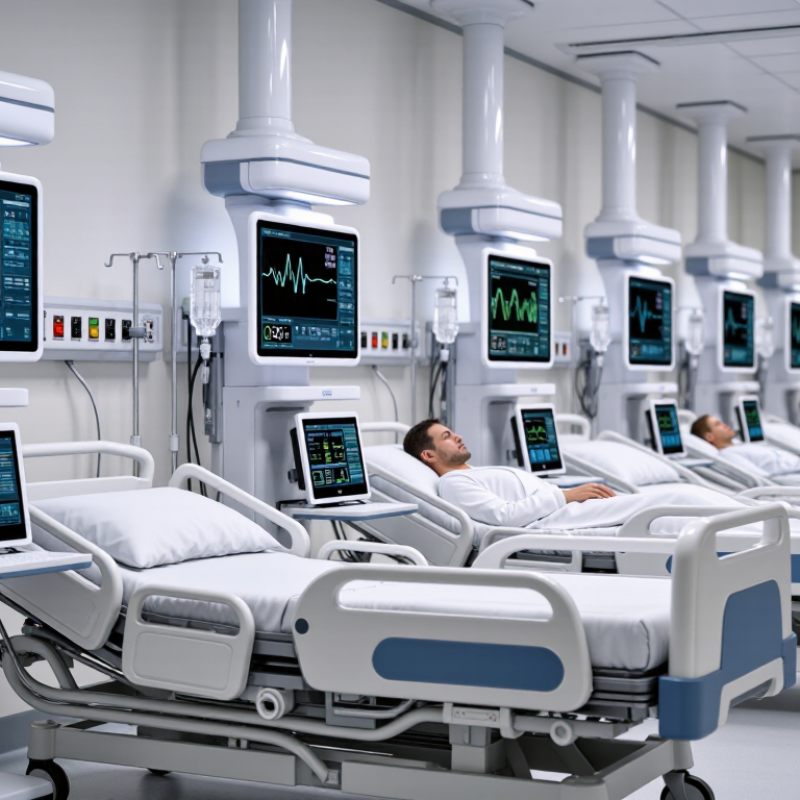
Define Clinical Monitoring Needs and Patient Risk Levels
How to Choose Bedside Patient Monitors in 2026?
Choosing a bedside patient monitor should begin with clinical need, not screen size or feature count. Assess the patient’s condition, treatment, and likely changes during the next several hours. A stable medical patient may need intermittent blood pressure, pulse oximetry, and temperature checks. A patient receiving opioids after surgery may require continuous oxygen saturation and respiratory monitoring. Patients with unstable rhythms need dependable ECG analysis and clear arrhythmia alerts. Match every parameter to a real clinical decision.
Tips: Create risk levels with doctors, nurses, and biomedical staff. Define which patients need continuous monitoring. Set alarm limits for each population, not one universal range. Test visibility from the doorway. Check whether staff can respond quickly to a low oxygen alarm. Review battery life, network reliability, cleaning requirements, and data export before purchase.
A practical risk assessment should include age, diagnosis, mobility, consciousness, medications, and recent vital-sign trends. A neat score can still mislead. Patient risk changes quickly. For example, a quiet patient with falling respiratory rate may need urgent attention, even when oxygen saturation looks acceptable. Select monitors that support trend review, documented alarms, and simple bedside operation. Validate performance with published evidence, recognized safety standards, and local clinical protocols. Training matters too. An advanced monitor is ineffective when staff misunderstand its alerts or silence them routinely. Reassess the selection after real ward use. Some assumptions will be wrong.
Compare Essential Vital-Sign Measurements and Advanced Parameters
How to Choose Bedside Patient Monitors in 2026?
Choosing a bedside monitor starts with essential measurements: ECG, heart rate, SpO2, non-invasive blood pressure, and temperature. These parameters support routine observation across medical, surgical, and emergency beds. The WHO Global Patient Safety Action Plan 2021–2030 estimates that one in ten patients experiences harm during healthcare delivery. Reliable basics therefore matter more than an impressive screen.
Advanced parameters should match patient risk, not purchasing ambition. Capnography can strengthen ventilation monitoring after sedation or during respiratory deterioration. Invasive pressure monitoring suits critical-care patients with arterial or circulatory instability. Arrhythmia analysis, ST-segment trends, cardiac output, cerebral oximetry, and multi-lead ECG may add value in specialist units. They can also increase training demands and alarm noise. Not every bed needs everything.
Alarm performance deserves careful testing. The Joint Commission’s Sentinel Event Alert, Issue 50, reviewed 98 alarm-related events and reported 80 deaths. Ask whether staff can set patient-specific limits, recognize priority alarms, and review trends without leaving the bedside. Check sensor durability, cleaning workflow, battery endurance, network resilience, and data export. In practice, usability often decides whether advanced data improves care. I have seen teams overvalue parameter counts and undervalue clear displays. That is an imperfect lesson. Compare clinical scenarios, not brochures. Require documented validation, transparent maintenance records, and staff feedback before wide deployment.
Evaluate Accuracy, Usability, Connectivity, and Alarm Management
Choosing a bedside patient monitor in 2026 requires more than comparing screen size or purchase price. Accuracy should be tested in realistic conditions, including patient movement, low perfusion, irregular rhythms, and weak sensor contact. Ask for validation data across adult, pediatric, and neonatal use when relevant. Check how often calibration is required. Small errors can become clinical distractions.
Usability is equally important during a crowded shift. Staff should read vital signs quickly from several feet away, even under dim lighting. Controls must work with gloved hands and wet or disinfected surfaces. Clear trends can reveal deterioration earlier than a single reading. Yet, a beautiful interface may still slow experienced nurses. Observe real users completing common tasks before approving a device. Their hesitation matters.
Connectivity should support reliable data transfer into approved clinical systems, with clear failure warnings and secure access controls. Alarm management deserves particular scrutiny. Alarms need sensible thresholds, distinct priorities, adjustable delays, and visible escalation paths. Excessive false alarms create fatigue; silent failures create greater risk. No monitor is perfect. Review alarm logs, test network interruptions, and confirm that settings remain appropriate after patient transfers. I would also reassess default configurations after deployment, because a setting that works in simulation may frustrate staff beside a restless patient.
Assess Infection Control, Durability, Mobility, and Maintenance Needs
How to Choose Bedside Patient Monitors in 2026?
In 2026, infection control should guide bedside monitor selection, not appear as an afterthought. A practical ward evaluation starts with the outer housing, screen, cables, and control surfaces. Can staff disinfect them between patients without damaging seals or touch controls? Check compatibility with the hospital’s approved cleaning agents. A smooth surface helps. It does not guarantee safety.
Durability matters during busy shifts. Inspect the stand, wheels, handles, connectors, and battery compartment. Repeated impacts and cable pulls expose weak construction quickly. Ask for cleaning-cycle data, drop-test evidence, service records, and realistic warranty terms. Laboratory claims can be useful, but bedside abuse is different. I would also involve biomedical engineers and infection-prevention staff before purchasing. Their concerns often reveal hidden maintenance costs.
Mobility should support care, not create new hazards. A stable rolling base, secure cable routing, readable displays, and reliable battery operation can reduce unnecessary repositioning. However, lighter equipment may feel less robust. That trade-off deserves testing in narrow rooms and crowded corridors. Maintenance teams should be able to replace common parts, update software, verify alarms, and access troubleshooting documents without excessive downtime. Keep spare accessories available. Small failures become serious delays. A pilot period may expose weaknesses that demonstrations hide, especially when gloves, disinfectant, and hurried staff enter the process.
| Assessment Dimension | Key Requirement | Recommended Benchmark or Data Point | Why It Matters | How to Verify Before Purchase | Suggested Weight |
|---|---|---|---|---|---|
| 1. Infection Control | |||||
| Disinfectant Compatibility | Housing, cables, touchscreen, and accessories should tolerate the disinfectants used by the hospital. | Documented compatibility with at least three commonly used hospital disinfectant types, including an alcohol-based product and a quaternary ammonium product. | Repeated exposure to incompatible chemicals can cause cracking, discoloration, loss of touch sensitivity, or premature failure. | Review the official cleaning and disinfection instructions. Request test evidence or written confirmation for the exact disinfectant concentrations used onsite. | 12% |
| Cleanable Design | Surfaces should be smooth, sealed, and easy to wipe without hidden dirt traps. | Prefer flush-mounted controls, sealed connectors where practical, minimal external seams, and no exposed ventilation openings on frequently touched surfaces. | A cleanable design reduces the time required between patients and supports standard infection-prevention procedures. | Inspect a demonstration unit. Check the rear panel, cable connections, control knobs, mounting points, and touchscreen edges. | 8% |
| Reusable Accessories | Patient cables, cuffs, probes, and sensors should have clear reprocessing instructions. | Each reusable accessory should specify cleaning method, compatible agents, drying requirements, and replacement indicators. | Accessories often receive more handling and contamination than the monitor itself. | Confirm whether accessories are reusable, single-patient-use, or disposable, and calculate the expected annual consumption cost. | 6% |
| Ingress Protection | The monitor should be protected against the level of liquid exposure expected in its care environment. | Use the manufacturer-declared IP rating as a comparison point; select a higher rating where frequent splashing or intensive cleaning is expected. | Ingress protection helps reduce the risk of liquid-related electrical faults, but it does not replace correct cleaning procedures. | Verify the exact IP code for the complete monitor configuration, not only for an optional accessory or separate component. | 4% |
| 2. Durability and Safety | |||||
| Electrical and Medical Safety | The device should be legally permitted and appropriately certified for the intended clinical market. | Look for applicable conformity documentation and compliance with relevant medical electrical equipment standards, such as IEC 60601-1 and applicable collateral or particular standards. | Compliance supports electrical safety, essential performance, alarm safety, and risk management throughout the device lifecycle. | Request the declaration of conformity, certificate scope, risk-management documentation, and current regulatory status for the intended country. | 8% |
| Mechanical Durability | The monitor, display, stand, and mounting system should withstand routine movement and accidental contact. | Prefer documented testing for vibration, shock, transport, and repeated adjustment of the stand or wall arm. The test conditions should match the intended use environment. | Mechanical failures can cause downtime, inaccurate positioning, or a monitor falling near the patient. | Review test summaries and inspect the stability of casters, brakes, handles, articulating arms, and cable strain relief. | 7% |
| Alarm Reliability | Physiological and technical alarms should be clearly presented and difficult to miss. | Prioritize adjustable alarm limits, visual and audible prioritization, alarm pause controls, event review, and compliance with applicable alarm-system requirements. | Alarm design affects response time, alarm fatigue, and patient safety in high-acuity areas. | Run a live alarm demonstration in a room with normal clinical noise. Check alarm volume, visibility, escalation behavior, and default settings. | 7% |
| 3. Mobility and Workflow | |||||
| Transport Readiness | The monitor should remain functional when the patient is moved within the facility, if transport monitoring is required. | Confirm battery operation, transport handle design, cable organization, and the availability of required parameters during battery use. | Unplanned interruptions during transfers can create monitoring gaps and increase the risk of cable disconnection. | Perform a simulated transfer through corridors, elevators, door thresholds, and patient-room entrances with all required accessories attached. | 7% |
| Battery Performance | Battery capacity should match the expected transport duration and local backup procedures. | Set a site-specific minimum based on workflow; verify the manufacturer-rated runtime under the actual parameter load, display brightness, and network use. | Rated runtime can vary substantially according to connected modules, wireless communication, and battery age. | Conduct a practical runtime test and confirm charging time, battery replacement interval, battery-health indication, and availability of spare batteries. | 6% |
| Ergonomics and Mounting | Controls and display should be usable from the normal working position without obstructing patient care. | Prefer height-adjustable mounting, stable locking mechanisms, readable waveforms from the expected viewing distance, and cable routing that does not create a trip hazard. | Good ergonomics reduce setup time, awkward posture, and accidental disconnections. | Have nurses and clinicians complete common tasks, including changing alarm limits, replacing a sensor, and moving the monitor with one hand. | 5% |
| Connectivity During Movement | Patient data should remain correctly associated with the patient during transfers and network changes. | Verify patient identification, wired or wireless connectivity, local data buffering, time synchronization, and behavior during temporary network loss. | Incorrect patient association or missing data can compromise clinical decisions and electronic record accuracy. | Test admission, discharge, transfer, network interruption, reconnection, and patient-context confirmation using the intended hospital network. | 5% |
| 4. Maintenance and Total Cost of Ownership | |||||
| Preventive Maintenance | Routine inspection and electrical safety testing should be clearly defined. | Require a documented preventive-maintenance schedule, calibration requirements, inspection checklist, and service interval for the monitor and accessories. | Predictable maintenance reduces unexpected downtime and supports audit readiness. | Ask for the service manual, recommended tools, calibration equipment, training requirements, and expected labor time per unit. | 6% |
| Repairability and Parts | Commonly replaced components should be available for the expected service life. | Confirm availability of batteries, cables, sensors, displays, fuses, connectors, and other high-wear parts for a defined support period. | Short parts availability can force premature replacement of otherwise serviceable equipment. | Obtain a written parts-availability commitment and typical repair turnaround time. Check whether repairs require shipment to an external facility. | 5% |
| Downtime and Service Support | Technical assistance should be available when failures affect patient care. | Compare support hours, escalation procedures, loaner availability, remote diagnostics, and target repair turnaround times. | Service responsiveness directly influences equipment availability and clinical continuity. | Include response and resolution targets in the procurement agreement. Request references from comparable care environments without relying on marketing claims alone. | 5% |
| Consumable and Accessory Cost | Purchase price should be evaluated together with recurring accessory and battery costs. | Calculate a five-year total cost using expected patient volume, reusable-accessory life, disposable usage, battery replacement, service, and software costs. | Recurring costs can exceed the initial device price over the operating life of the monitor. | Use a standard cost model for every option and include taxes, installation, training, integration, warranty extensions, and disposal. | 5% |
| 5. Clinical and Digital Readiness | |||||
| Parameter Coverage | Available parameters should match the patient population and care setting. | Define required and optional parameters, such as ECG, SpO₂, non-invasive blood pressure, temperature, respiratory rate, invasive pressure, and capnography, according to clinical need. | Buying unnecessary modules increases cost, while missing a required parameter can limit clinical use. | Build a parameter matrix for intensive care, step-down, emergency, operating, and transport workflows before comparing models. | 8% |
| Measurement Performance | Accuracy and operating limits should be suitable for the intended patient groups. | Compare published accuracy, measurement range, update rate, motion tolerance, low-perfusion performance, and applicable patient-size limitations. | Performance can change with motion, poor perfusion, arrhythmia, skin temperature, and other real-world conditions. | Review validation data and conduct a clinical simulation with representative adult, pediatric, or neonatal accessories where applicable. | 7% |
| Cybersecurity and Software Support | Connected monitors should have controlled access, secure updates, and a defined vulnerability-response process. | Look for role-based access, secure authentication, audit logs, encrypted communication where appropriate, signed software updates, vulnerability disclosure, and a documented support lifecycle. | Networked medical devices can affect patient privacy, clinical availability, and the integrity of transmitted data. | Complete the hospital cybersecurity questionnaire and request software bill of materials, update policy, end-of-support policy, and incident-response contacts. | 6% |
| Usability and Training | Clinicians should be able to perform common tasks consistently with limited training. | Measure task completion time, error rate, alarm-setting accuracy, and training hours for representative users. | Clear interfaces reduce setup errors and make adoption easier across shifts and departments. | Use a structured usability test with nurses, physicians, technicians, and biomedical engineers before final selection. | 4% |
| Recommended scoring method: Rate each requirement from 1 to 5, multiply the rating by the suggested weight, and record any mandatory requirement as a pass/fail gate. Do not select a monitor solely on the weighted score if it fails infection-control, electrical-safety, alarm, clinical-performance, cybersecurity, or regulatory requirements. | |||||
Review Compliance, Total Cost, Training, and Long-Term Support
How to Choose Bedside Patient Monitors in 2026?
Compliance should be checked before screen size, connectivity, or price. Review regional approvals, electrical safety records, cybersecurity controls, and alarm documentation. Ask for evidence, not attractive promises. A practical review includes cleaning instructions, maintenance intervals, and audit trails for patient data. Test alarm sounds in a busy ward. Quiet showroom demonstrations can be misleading.
Total cost includes more than the purchase order. Include sensors, batteries, mounting hardware, software updates, service visits, and staff time. A lower-priced monitor may need frequent accessories or specialist repairs. I once underestimated training costs during a ward upgrade. The equipment worked, but confidence did not. That gap affected adoption and delayed routine checks.
Tips: Request a five-year cost estimate. Compare warranty coverage carefully. Check replacement-part availability. Arrange hands-on training for day and night shifts. Keep one trained super-user on each ward, but do not depend on one person. Support matters. Ask how quickly technical help responds, whether remote diagnostics are secure, and how issues are documented. Require refresher training after major software changes. Some plans look complete, yet exclude travel fees or consumables. Read the small details. Review support performance every year, using response times, repair records, and staff feedback.
How to Choose Bedside Patient Monitors in 2026?
A practical evaluation framework covering compliance, total cost of ownership, training, and long-term support.
The weighted evaluation model prioritizes patient safety and regulatory readiness, while also considering five-year ownership cost, staff training effort, and post-sale support. Confirm applicable requirements locally, including IEC 60601 safety standards, alarm-management requirements, risk-management processes, cybersecurity controls, and service-level commitments.
FAQS
Test accuracy during movement, weak sensor contact, low perfusion, and irregular rhythms. Compare results across adult, pediatric, and neonatal patients when relevant. Small errors can distract staff. No monitor is perfect.
Staff should read vital signs from several feet away, including in dim lighting. Controls must work with gloves, moisture, and disinfected surfaces. Watch real users perform routine tasks. Their hesitation reveals hidden problems.
Trends can show deterioration earlier than one isolated reading. They should remain clear during busy care. A polished interface may still slow experienced nurses.
Check thresholds, priority levels, adjustable delays, and visible escalation paths. Review alarm logs and test network interruptions. Too many false alarms cause fatigue. Silent failures are worse.
Inspect the housing, screen, cables, and control surfaces. Confirm compatibility with approved cleaning agents. Smooth surfaces help, but they do not guarantee safety.
Examine wheels, stands, handles, connectors, batteries, and cable routing. Test equipment in narrow rooms and crowded corridors. A lighter monitor may be easier to move, but less robust.
Include sensors, batteries, mounting hardware, software updates, service visits, and training time. Request a five-year estimate. Read warranty exclusions carefully. Cheap today, costly later.
Arrange hands-on training for day and night shifts. Keep trained super-users on each ward, without relying on one person. Ask about response times, secure remote diagnostics, replacement parts, and refresher training. I once underestimated training needs. The equipment worked, but staff confidence did not.
Conclusion
Choosing Bedside Patient Monitors in 2026 begins with clearly defining clinical monitoring needs and patient risk levels. Hospitals should determine whether each care setting requires basic measurements such as heart rate, blood pressure, oxygen saturation, temperature, and respiratory rate, or advanced parameters for higher-risk patients. The selected monitor should provide accurate, easy-to-read results, intuitive controls, reliable connectivity with clinical information systems, and well-designed alarm management that reduces unnecessary alerts while supporting rapid responses.
Evaluation should also include infection-control features, durable construction, mobility, battery performance, cleaning requirements, and ease of maintenance. A practical purchasing decision must consider regulatory compliance, total cost of ownership, staff training, warranty coverage, software updates, and long-term technical support. By balancing clinical capability with usability, workflow integration, durability, and future needs, healthcare organizations can choose monitoring equipment that improves patient safety, supports efficient care, and remains dependable across changing clinical environments.

Blog Tags: